
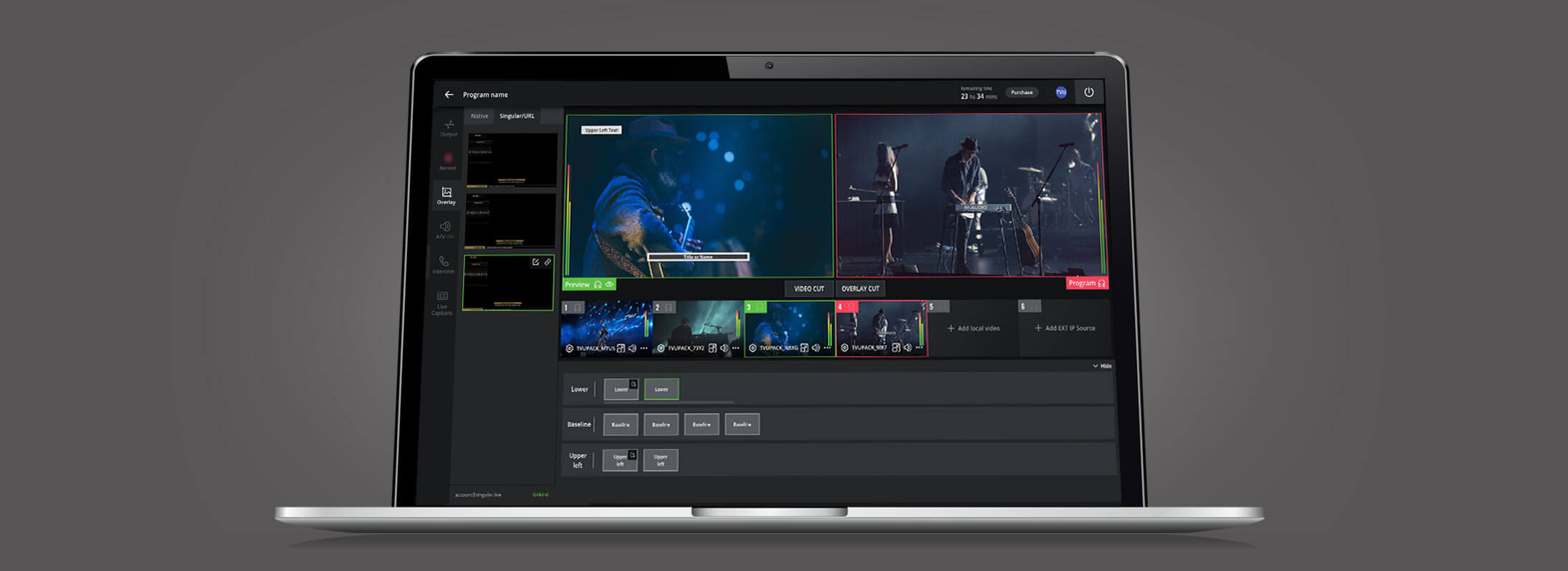
所见即所得的视频切换方式将推动视频制作工作流并丰富视频内容
所见即所得的视频切换方式,通过操作简单的界面让普通人也能完成专业级别的视频制作
To the uninitiated, is there any single piece of video production equipment that looks more difficult to use than a production switcher control panel? If so, I can’t think of what it would be.
There’s a good reason it looks complex—it is. Out of necessity, this centerpiece of live video production accommodates all of the necessities of productions that frequently can be quite complex. Multi-camera live events with instant replay, copious graphics, edited clips stored on video servers to be rolled in during the show, titles, animations and effects. The list goes on and on.
While the production switcher has served the TV industry well and continues to do so, its complexity can be rather off-putting to those with limited knowledge and experience but a strong desire to produce remote video.
Sports leagues and collegiate sports conferences, up-and-coming video producers who distribute via social media or a website, high-school AV departments and even over-the-air TV broadcasters from small markets and others setting up remote production on a shoestring budget are only a few of the many organizations that may not have the budget to use nor the inclination to master a professional video switcher.
WYSIWYG
In the mid-1970s, engineers working at Xerox PARC (Palo Alto Research Center) developed the first WYSIWYG word processor called Bravo. WYSIWYG, or What You See Is What You Get, conveys a simple concept, yet one that was revolutionary in a time when those wishing to print a document could choose between typing it or having it professionally typeset and printed.
The inventors of WYSIWYG word processing demonstrated Bravo was truly WYSIWYG by printing out a memo from the word processor on a transparency using a newly invented laser printer. They then held the transparency up to the screen of the Alto computer running Bravo, matching the text on the screen to that on the transparency, thereby showing the world that in fact with their word processor what you see is what you get.
What if video switching for remote productions could be done with a similar WYSIWYG approach—one not dependent on buttons, knobs, joysticks and fader bars but instead one that replicates the simple WYSIWYG experience the general public is already accustomed to thanks to the interfaces on their smartphones, tablets and other modern devices?
Video Production For Everyone
A truly WYSIWYG approach to video switching immediately opens up video production to the masses. People who would never have dreamt of learning how to use a broadcast production switcher, suddenly would be able to produce professional results with an easy-to-use interface.
Sure, every feature available on a broadcast production switcher may not be available with a WYSIWYG approach to video switching, but the vast majority of features, including all of the most common ones, would be.
Best of all, WYSIWYG video switching will require little training, which means the number of people who can produce live video –switching among multiple video sources—will climb dramatically, helping to satiate the growing demand for video programming available on traditional broadcast channels, social media sites like Facebook and websites, such as YouTube.
Start a Discussion
For any information on this case or for any enquiries on the above products
We can help